
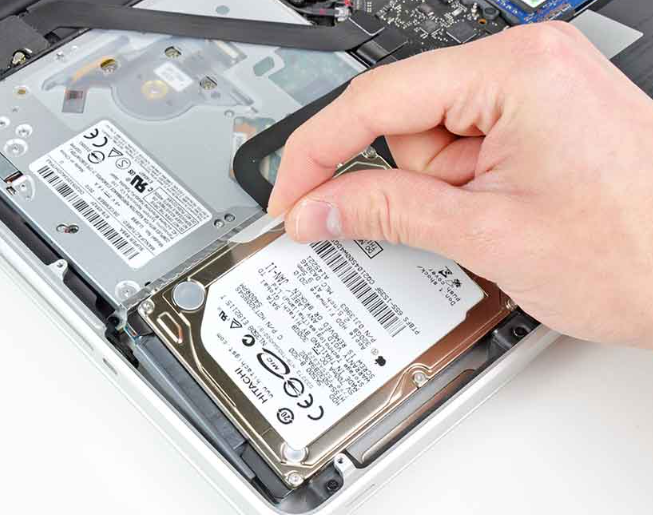
With the rapid evolution of storage technology, users often find themselves deciding between SSDs (Solid State Drives) and HDDs (Hard Disk Drives), especially when choosing an operating system. Each combination of OS and storage type presents unique performance characteristics that can affect daily usage, gaming, and productivity.
1. Performance Overview of Windows
Windows has evolved significantly in its system requirements and performance efficiency, particularly with SSDs. When running Windows on SSDs, users can expect noticeably enhanced boot times, reduced application launch speeds, and improved overall responsiveness. For instance, Windows 10 optimizes its indexing and file management systems to leverage the speed of SSDs, making tasks like file searching and system updates remarkably quicker.
Conversely, Windows on HDDs tends to show various disadvantages, mainly due to slower read and write speeds. Operations like booting the operating system or launching software can take up to several minutes. The fragmentation of files can further exacerbate this performance slowdown, making regular maintenance necessary. Users can expect a more sluggish experience compared to SSDs.
-
- Always consider upgrading to SSD if you’re using Windows to enhance responsiveness.
-
- Regularly defragment your HDD if you must use one, focusing on your frequently used applications.
-
- Monitor system performance using Windows Performance Monitor.
-
- Disable unnecessary startup programs to speed up boot time.
2. macOS Performance Metrics on SSD vs HDD
macOS is designed to perform optimally with SSDs, which Apple has heavily favored in its recent hardware designs. The operating system takes full advantage of the fast data access speeds provided by SSDs, resulting in significantly faster boot times and application performance. For creative professionals, SSDs can drastically cut down the time it takes to open large files in applications like Final Cut Pro and Logic Pro.
On the flip side, running macOS on an HDD can lead to unexpected performance issues. The file system operations rely on speed, and HDDs simply do not provide quick access to necessary data. Users may experience frustratingly long loading times and delays when accessing applications. Additionally, macOS’s built-in features, such as Time Machine, can take considerably longer to perform backups on an HDD as opposed to an SSD.
-
- Always opt for SSD when purchasing new Mac hardware.
-
- Regularly check disk space to maintain optimal performance.
-
- Enable TRIM support for SSDs to maximize their longevity and performance.
-
- Consider using macOS’s built-in Disk Utility to verify startup disks, especially on HDDs.
3. Linux: Flexibility and Performance Across Both Drives
Linux exhibits remarkable flexibility when it comes to performance on both SSDs and HDDs. Many distributions are lightweight and can leverage the faster read/write speeds of SSDs to provide excellent performance, with some versions like Ubuntu or Arch Linux optimizing file system operations specifically for SSDs. Users can enjoy reduced boot times and quick installation processes, making Linux an appealing choice for those enthusiastic about speed.
However, when Linux is run on an HDD, the experience can be lackluster. Despite the operating system’s configurability and ability to run on less powerful hardware, slower HDD speeds can hinder performance. This is particularly evident during system updates and when opening applications that require significant file data. Nevertheless, users can still optimize performance by choosing lightweight distributions designed for older hardware.
-
- Choose an SSD-compatible Linux distribution to maximize speed benefits.
-
- Use command-line tools like “fstrim” to manage SSD performance.
-
- Opt for lighter versions of distributions when using HDDs.
-
- Regularly update and upgrade packages to enhance performance and security.
In conclusion, deciding between SSDs and HDDs primarily hinges on the operating system you plan to use and your performance needs. Whether it’s Windows, macOS, or Linux, an SSD will consistently offer superior performance. To enhance your computing experience, consider evaluating your storage options and do not hesitate to explore SSD upgrades.