
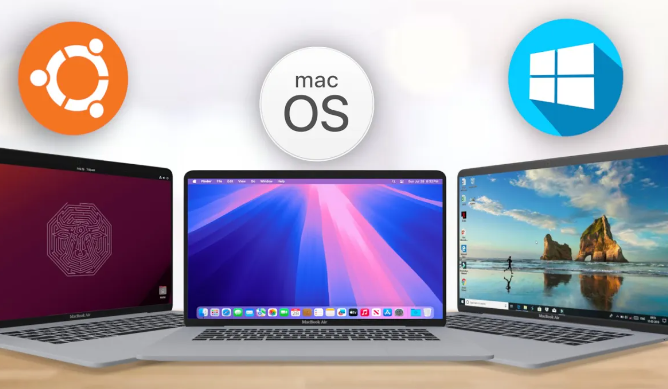
In today’s technology-driven world, choosing the right operating system can significantly impact performance and cost. Windows, macOS, and Linux each have their unique features, licensing models, and overall price implications. This blog post will break down the costs and licensing of each OS to help you make an informed decision.
1. Understanding the Cost Structure of Windows
Windows is one of the most widely used operating systems, particularly in business environments. Generally, Windows licenses can be purchased as OEM (Original Equipment Manufacturer) versions, which come pre-installed on computers, or as retail versions, which can be bought separately. The cost for a Windows 10 or 11 license can range from around $139 for the Home edition to over $200 for the Pro edition, which provides advanced features better suited for enterprises.
Windows is known for its wide range of supported applications and games, making it the go-to choice for many users. It’s important to consider that aside from the initial purchase price, additional costs can arise from continually upgrading to new versions or adding security features, which are necessary to keep your system running smoothly and securely.
-
- Research available Windows editions to find the best fit for your needs.
-
- Consider whether you need the Pro version’s advanced features.
-
- Plan for future upgrade costs as Microsoft releases new versions.
-
- Look for discounts from authorized retailers or educational programs.
2. Cost Considerations for macOS
macOS is exclusive to Apple’s hardware, meaning you cannot run it on just any machine. The cost of a macOS license is bundled in the purchase price of a Mac computer, which typically starts around $999 for an entry-level MacBook Air. Apple also provides free updates to new versions of macOS, which helps mitigate long-term costs, but the up-front investment in hardware can be significant compared to Windows machines.
For users who require a seamless integration of hardware and software, macOS offers a polished experience. However, it’s essential to account for the lack of compatibility with many software applications that are widely available on Windows. Thus, if you are considering a switch, evaluate whether the programs you need will run efficiently on macOS or if you will have to find alternatives.
-
- Compare the hardware costs alongside macOS features you need.
-
- Explore options for refurbished Mac products to save money.
-
- Stay informed about macOS updates to benefit from new features.
-
- Check for software compatibility with your necessary applications.
3. The Free and Open World of Linux
Linux stands out as a free and open-source operating system, making it a very attractive option for cost-conscious users and organizations. Distributions like Ubuntu, Fedora, and Debian can be downloaded and installed at no cost. However, potential users should consider the indirect costs, such as technical support and compatibility with certain applications, which can be crucial for enterprise environments.
While being free, Linux doesn’t mean sacrificing quality. It is highly customizable and typically considered more secure compared to its counterparts. Users must also be prepared for a steeper learning curve, especially if they have been accustomed to Windows or macOS. Nonetheless, Linux provides a robust community and forums where users can receive help and share solutions freely.
-
- Start with user-friendly distributions like Ubuntu or Mint.
-
- Join community forums for support and networking.
-
- Consider the need for technical support when choosing a distribution.
-
- Explore the customization options to tailor your experience.
4. Licensing Insights and Implications
The licensing models vary significantly across Windows, macOS, and Linux and can affect your buying decision. Windows uses a proprietary licensing model, which means purchasing a license gives you the right to install the software but not to modify it. Alternatively, macOS licenses are similarly structured, as they can only be used on Apple hardware, which adds another layer of cost consideration. Both systems regularly release updates and security patches that may require additional costs if the software is outdated.
In contrast, Linux operates under an open-source model, allowing users to modify and redistribute the software freely. This model encourages innovation and community development, which often leads to regular updates without the associated costs. However, it also means that users may need to take on more responsibility for troubleshooting and maintenance unless opting for a paid support service.
-
- Understand what each licensing model entails before making a purchase.
-
- Evaluate how frequently you may need to upgrade or seek support.
-
- Check if your hardware is compatible with Linux distributions.
-
- Know the security implications of using each operating system.
In conclusion, each operating system comes with its distinctive costs and licensing challenges. Whether you opt for Windows, macOS, or Linux will depend on your specific needs, budget, and support expectations. It’s essential to carefully evaluate your options and stay informed about the latest developments to make the best choice for your situation.