
Choosing the right operating system for low-end PCs and older hardware is crucial for maximizing performance and usability. With many options available, particularly Windows, macOS, and Linux, users often find it challenging to choose the best fit for their specific needs. This guide will help you explore each system’s strengths and weaknesses in the context of older machines.
1. Windows: The Familiar Yet Resource-Hungry Option
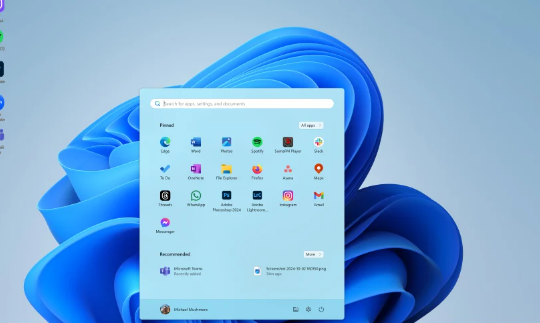
Windows is the most widely used operating system globally, and it often comes pre-installed on many PCs. However, newer versions, like Windows 10 and 11, can be quite demanding in terms of hardware requirements. On older machines, users may experience sluggish performance, especially with limited RAM and older processors. For instance, a PC with only 4GB of RAM might struggle with multitasking or running modern applications effectively.
If you’re determined to stick with Windows on a low-end PC, consider installing a lightweight version like Windows 10 LTSC (Long-Term Servicing Channel). This version omits some features and apps, making it more suitable for legacy hardware. However, it’s important to keep in mind that using Windows may require extra effort in optimization to improve performance.
-
- Consider using Windows 10 LTSC for a lighter experience.
-
- Disable unnecessary startup programs to conserve resources.
-
- Regularly update drivers for better hardware compatibility.
-
- Adjust visual effects settings to enhance performance.
2. macOS: The Exclusive Choice for Apple Hardware
macOS is designed to run exclusively on Apple hardware, which generally means that older Macs might still perform decently with this operating system. However, if you are trying to use a PC, macOS won’t be a viable option unless you delve into unsupported methods, such as creating a Hackintosh. Even then, compatibility issues and performance degradation on older hardware can arise with various software.
For older Mac models, users can still enjoy the macOS experience, but they should be aware that many of the latest features may not be available. If your Mac is older than a few generations, consider using macOS Monterey or an even older version to keep your system responsive and functional. Just like with any OS, regular maintenance is key to ensuring optimal performance.
-
- Check Apple’s official compatibility list before upgrading.
-
- Utilize macOS cleaning tools to free up space.
-
- Regularly update your apps to avoid compatibility issues.
-
- Consider upgrading hardware components (like RAM) when possible.
3. Linux: The Lightweight Champion for Old Hardware
Linux operating systems have gained popularity for their efficiency, especially when it comes to low-end PCs and older hardware. Various distributions, such as Lubuntu, Xubuntu, or Linux Mint, are specifically tailored to run smoothly on machines with limited resources. These lightweight Linux distros are known for their minimalistic design, requiring fewer system resources while providing a user-friendly interface.
Many users transitioning from Windows or macOS to Linux report improved performance and faster boot times. Additionally, the flexibility of Linux allows users to customize their systems to match their preferences. With regular updates and a strong focus on community support, Linux is often considered the best option for those with older hardware that still needs to perform essential tasks.
-
- Choose a lightweight distribution like Lubuntu or Xubuntu.
-
- Consult community forums for tips on optimization and troubleshooting.
-
- Regularly update your Linux distro to ensure system security.
-
- Explore alternative software in the Linux ecosystem for better performance.
4. Performance Comparisons: Real-World Usage Scenarios
When it comes to real-world performance, each operating system presents unique advantages and challenges. Windows, for instance, may fulfill gaming needs but could falter when using older hardware. In contrast, Linux shines in lightweight environments, allowing for smooth operation even on machines with minimal resources. On the other hand, macOS tends to provide a refined user experience for users with compatible Apple hardware but lacks versatility on non-Apple PCs.
Real-world examples include an older laptop with 4GB of RAM. Running Windows might lead to a frustrating experience with applications like Chrome or Microsoft Office. In contrast, switching to a lightweight Linux distribution can result in a noticeable speed increase, enabling web browsing, simple document editing, and even light programming tasks without lag.
-
- Test drive operating systems by creating live boot USBs.
-
- Compare resource usage with tools like Task Manager (Windows) or System Monitor (Linux).
-
- Evaluate software needs to ensure compatibility with your chosen OS.
-
- Prioritize responsive customer support options when choosing a distro or OS.
In conclusion, selecting an operating system for low-end PCs and old hardware involves considering performance, usability, and specific needs. While Windows offers familiarity and extensive software support, Linux emerges as the champion for resource-limited environments. If you are using older hardware, it might be time to explore Linux options and witness the difference in performance firsthand. Don’t hesitate to seek help in community forums if you encounter any challenges along the way!