
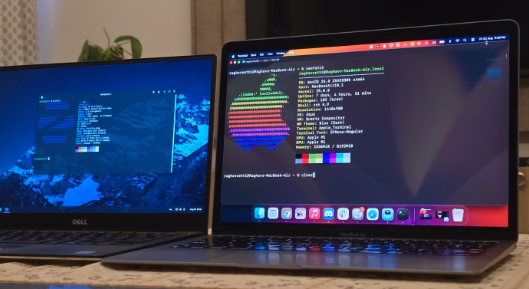
Choosing an operating system for high-end workstations can be a daunting task, especially with the array of options available today. Windows, macOS, and Linux each bring unique features and capabilities that cater to various professional needs. In this post, we’ll dive into the advantages and disadvantages of each system to help you make an informed decision.
1. Windows: The Powerhouse for Professional Software
Windows remains the go-to choice for many businesses and professionals due to its compatibility with a wide range of software applications. This is particularly important for fields like engineering, graphic design, and video editing where software such as AutoCAD, Adobe Creative Suite, and other industry-standard programs run seamlessly on Windows. Additionally, the extensive hardware support ensures you can customize your workstation to meet your specific performance requirements.
However, with great power comes great responsibility; Windows can be resource-intensive, especially with frequent updates. Users may find that maintaining stability requires additional effort, particularly in high-demand situations. While Windows machines can be tailored for performance, it’s essential to stay updated and manage system resources to ensure efficiency in a bustling work environment.
-
- Regularly check for updates to ensure security and stability.
-
- Choose hardware components that are known for compatibility with Windows.
-
- Utilize virtual machines to run different software safely.
-
- Optimize system settings for enhanced performance when running heavy applications.
2. macOS: The Creative’s Delight
macOS is highly popular among creative professions, including graphic designers, video producers, and musicians. The operating system is designed to take advantage of Apple’s hardware, resulting in a finely-tuned user experience. Software like Final Cut Pro and Logic Pro X are optimized for macOS and provide performance that can significantly enhance productivity in creative workflows.
While macOS does come with its set of advantages, it is essential to consider that it is less customizable than Windows or Linux. The hardware options are limited to Apple’s products, which can raise the initial investment. However, the working environment provided by macOS is often heralded as more intuitive, making it easy for users to engage deeply in their creative tasks without system distractions.
-
- Invest in external storage solutions for larger projects and backups.
-
- Leverage tools like Homebrew to install additional software easily.
-
- Regularly clean up system storage to maintain performance.
-
- Take advantage of macOS’s built-in features like Spotlight and Finder for better organization.
3. Linux: The Versatile and Cost-Effective Option
Linux is an excellent choice for developers, IT professionals, and anyone who favors open-source software. Its versatility allows users to tailor their systems to meet specific needs, from lightweight distributions for older hardware to powerful environments for data analytics and software development. Many developers appreciate the command-line capabilities that Linux offers, enhancing productivity through automation and scripting.
On the downside, Linux may present compatibility issues with certain proprietary software that are often vital for high-end workstation needs. However, there are often open-source alternatives available that can serve similar functions. The active community behind Linux ensures that users can find support and documentation to resolve issues or optimize their systems effectively.
-
- Choose a distribution that aligns with your professional needs (e.g., Ubuntu, Fedora).
-
- Familiarize yourself with terminal commands to enhance workflow.
-
- Install necessary software using package managers for easier updates.
-
- Consider virtualization to run Windows applications as needed.
Choosing the right operating system for your high-end workstation ultimately depends on your specific needs and preferences. Each option—Windows, macOS, and Linux—offers distinct benefits, so it’s crucial to analyze what will work best for your professional requirements. Take your time to assess your tasks and investment requirements to make an informed decision.