
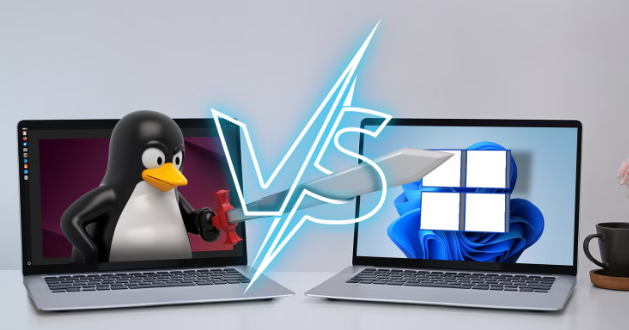
When it comes to choosing an operating system for your computer, the decision often boils down to three popular options: Windows, macOS, and Linux. Each has its own unique features, especially in how they handle virtualization and dual booting. This post dives into the details to help you make an informed choice.
1. Virtualization Capabilities
Virtualization allows users to run multiple operating systems on a single machine, providing flexibility and adaptability. Windows typically comes with Hyper-V, which makes it simple to create and manage virtual machines. With a user-friendly graphical interface, even beginners can quickly set up separate environments for testing and development.
On the other hand, macOS offers robust virtualization options through tools like Parallels Desktop and VMware Fusion. These applications allow users to run Windows and Linux seamlessly alongside macOS without needing to reboot. For those interested in a more open-source solution, Linux users can take advantage of KVM (Kernel-based Virtual Machine), which is built directly into the kernel for efficient performance.
-
- Research various virtualization software available for each OS.
-
- Consider the system requirements for hosting virtual machines.
-
- Look into compatibility issues with your primary operating system.
-
- Backup important data before attempting virtualization.
2. Dual Booting Techniques
Dual booting allows users to install multiple operating systems on the same hardware, giving the flexibility to choose which to run at startup. Windows is often set up as a primary OS with programs like the Windows Boot Manager facilitating dual boot configurations with Linux. While somewhat complicated, the process rewards users with a fully functional native environment for each system.
Mac users can also set up a dual boot with Boot Camp, Apple’s official solution for running Windows on a Mac. This utility divides the hard drive, creating partitions for both macOS and Windows. Linux users have more options with various distributions available and commonly use tools like GRUB (Grand Unified Bootloader) for managing multiple operating systems seamlessly.
-
- Check if your hardware can support dual boot configurations.
-
- Always backup important files before making system changes.
-
- Follow specific guides tailored to your operating system for dual boot setups.
-
- Allocate adequate disk space for each operating system.
3. Performance and Resource Management
Performance varies significantly between these three operating systems when it comes to virtualization and dual booting. Windows tends to require more resources to run efficiently, particularly when handling virtual machines. This means that without sufficient RAM and CPU power, you could experience lag in virtual environments.
macOS is generally well-optimized for the Apple hardware it runs on, providing smooth performance in dual boot configurations and virtualization software. Linux distributions, particularly lightweight versions like Ubuntu, can run efficiently on lower-spec machines, making it a prime choice for users who wish to conserve hardware resources while running multiple operating systems.
-
- Monitor CPU and memory usage during virtualization or dual boot setup.
-
- Consider using lightweight Linux distributions for better performance.
-
- Upgrade RAM if you frequently use virtualization.
-
- Plan your tasks according to the resource demands of the OS you are running.
In summary, each operating system offers distinct advantages for virtualization and dual boot capabilities. The choice largely depends on your specific needs, hardware limitations, and personal preferences. Whether you prioritize usability, performance, or resource management, understanding these aspects will help you make the best decision for your computing environment.
Take the next step in optimizing your computing experience by exploring options that best fit your needs and consulting knowledgeable communities or resources for detailed guidance!