
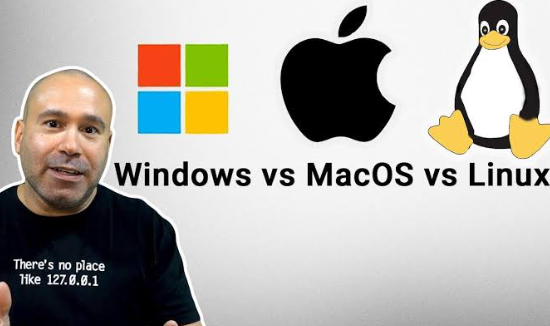
Choosing the right operating system is crucial for students, as it can significantly impact productivity and efficiency in schoolwork. Windows, macOS, and Linux each come with unique advantages and challenges. This post will explore the strengths and weaknesses of each platform to help students make an informed choice.
1. Windows: The Versatile Choice
Windows is arguably the most widely used operating system in educational environments. Its compatibility with a vast range of software makes it an excellent option for students who need specialized applications, whether for engineering simulations, graphic design, or writing papers. Moreover, the interface is user-friendly, allowing even novice users to navigate with relative ease. Windows also supports a plethora of peripherals, which can be vital for students with specific hardware needs.
However, Windows is often criticized for its susceptibility to viruses and software vulnerabilities. Students must ensure they have reliable antivirus software to protect their information. It’s also important to note that some institutions have begun to adopt cloud-based apps that can run on any operating system, reducing the dependency on specific platform features.
-
- Check for student discounts on Windows devices.
-
- Install antivirus software for extra security.
-
- Utilize cloud storage for easy access to your files.
-
- Familiarize yourself with Windows shortcuts to increase efficiency.
2. macOS: The Creative Powerhouse
macOS is known for its sleek design and robustness, making it a popular choice among creative students, especially in fields like graphic design, filmmaking, and music production. The operating system features built-in tools such as GarageBand and iMovie, which are perfect for students who want to get started in creative projects without costly software investments. Furthermore, macOS offers excellent integration with other Apple devices, making it easy to sync documents and apps across platforms.
On the downside, macOS devices are generally more expensive than their Windows counterparts. Additionally, certain software, particularly niche applications, may not be available on macOS. Students should research the specific tools they’re required to use for their courses before selecting this platform. Reliability is another selling point; macOS typically experiences fewer crashes compared to Windows.
-
- Explore free software alternatives for macOS.
-
- Take advantage of Apple’s educational discounts.
-
- Ensure compatibility with your course software before purchasing.
-
- Familiarize yourself with macOS gestures for better navigation.
3. Linux: The Customizable Option
Linux offers a unique alternative for tech-savvy students who enjoy customization and control over their computing environment. As an open-source operating system, it allows users to modify the code according to their needs, which can be particularly appealing to computer science majors or those interested in software development. Various distributions of Linux, like Ubuntu and Fedora, cater to different user preferences and needs, making it versatile for a variety of tasks.
However, the learning curve for Linux can be steep for beginners, as it often requires more technical knowledge to navigate and troubleshoot issues. Not all software commonly used in educational settings is available on Linux, so students might need Linux alternatives or consider using a dual-boot setup to access Windows apps as necessary. That said, Linux is generally regarded as more secure and less vulnerable to malware.
-
- Try out various Linux distributions to find your fit.
-
- Join online forums for support and tips.
-
- Utilize terminal commands to enhance your efficiency.
-
- Back up your data regularly in case of system changes.
Ultimately, the choice between Windows, macOS, and Linux depends on your specific needs, budget, and comfort level with technology. Each operating system has its strengths and can be tailored to meet the educational requirements of students. Explore these options and choose the one that aligns best with your academic goals.
In conclusion, consider your personal needs and preferences before making a decision. Each operating system has unique attributes that can benefit your schoolwork. Do your research, explore, and choose the best platform for your educational journey!