
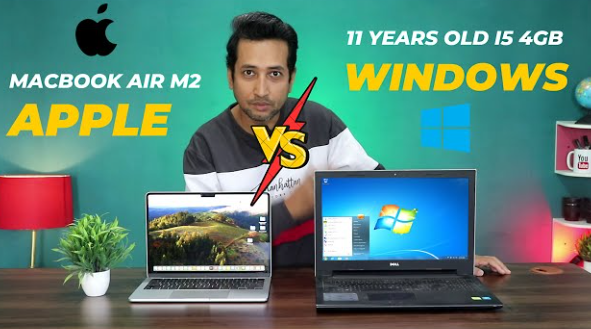
Boot speed and startup performance are crucial factors for any operating system, impacting user experience and productivity. This post aims to explore how Windows, macOS, and Linux stack up against each other concerning these important aspects.
1. Windows Boot Speed
Windows has made significant improvements in boot speed, especially with the introduction of features like Fast Startup, which uses a hybrid shutdown process. When Fast Startup is enabled, Windows saves the kernel session to the hard drive instead of closing it, allowing for quicker boots. However, this feature also requires a shutdown rather than just a restart, hence the overall boot speed can vary based on your usage pattern.
Recent versions of Windows (like Windows 10 and 11) demonstrate impressive boot times, typically clocking in around 20-30 seconds on SSDs. In contrast, HDD installations can take significantly longer due to the mechanical nature of their operation. It’s worth noting that background applications also affect boot time; more programs starting up can slow down the initial loading phase.
-
- Enable Fast Startup in Windows settings.
-
- Limit startup applications using the Task Manager.
-
- Consider upgrading to an SSD for improved boot speed.
-
- Keep your Windows updated to benefit from optimization improvements.
2. macOS Boot Performance
macOS is well-known for its fast boot times, typically ranging from 10 to 20 seconds, especially on models equipped with SSDs. Apple integrates both hardware and software seamlessly, ensuring that the startup process is streamlined. Features like the T2 chip improve security and efficiency during boot-up, managing various hardware components better than traditional BIOS systems used in PCs.
However, macOS share the same challenges as other operating systems, like background processes and software updates, which can affect startup time. Additionally, older Macs using HDDs may experience more sluggish boot times as they struggle with mechanical delays. To maintain optimal boot speeds, regular maintenance and updates are essential.
-
- Use the Disk Utility to run First Aid on your drives for health checks.
-
- Limit login items through System Preferences.
-
- Consider a clean installation of macOS to remove accumulated clutter.
-
- Regularly clear cache files that can slow down the boot process.
3. Linux Boot Speed
Linux distributions, particularly lightweight ones, can often outperform both Windows and macOS in boot speed. Many Linux systems are designed to run on minimal hardware, meaning they can boot in just a few seconds, especially when utilizing the Ext4 file system and systemd. Popular distributions like Ubuntu and Fedora thrive on quick startup times.
It’s important to note that various desktop environments (DEs) can affect boot time. Lightweight DEs like XFCE or LXDE provide even faster boot times compared to resource-heavy ones like GNOME or KDE. Customizing Linux can also lead to significant improvements; users can choose what services start during boot-up, creating a highly optimized experience tailored to their needs.
-
- Select a lightweight Linux distribution for faster boot times.
-
- Optimize the services that start at boot via systemctl.
-
- Utilize SSDs to harness faster read times.
-
- Regularly update your kernel for performance enhancements.
4. Comparative Analysis and Real-World Performance
When comparing boot speeds, it’s clear that each operating system has its strengths and weaknesses. Windows typically offers robust performance but can suffer from the overhead of many background applications. macOS maintains excellent speed due to its integrated hardware and software but can falter with older systems. In contrast, Linux stands out with its ability to provide super-fast boots, particularly in tailored configurations.
Real-world performance often matters more than figures on paper. Users with demanding applications might experience noticeable differences between these OSs; for instance, game developers might prefer Windows for compatibility, while developers focusing on IoT could lean towards Linux due to its flexibility. Understanding the core strengths of these systems can help you choose the best one for your requirements.
-
- Assess your usage needs to pick the right OS.
-
- Experiment with different Linux distributions to find the best fit.
-
- Don’t ignore hardware upgrades; they can significantly improve boot times.
-
- Schedule regular system maintenance to ensure smooth operation.
In conclusion, the boot speed and startup performance of Windows, macOS, and Linux vary significantly based on underlying architecture, system optimizations, and individual usage habits. Consider your specific needs and preferences when choosing an operating system, and don’t hesitate to explore options to improve performance further. Taking time for maintenance and optimizations can lead to a more fluid and efficient computing experience.