
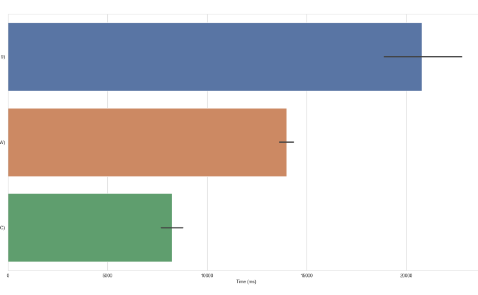
When it comes to graphic design, choosing the right operating system can significantly impact your workflow and productivity. Windows, macOS, and Linux each offer unique strengths and weaknesses, influencing how graphic design software performs. This post explores the performance of these three platforms to help you make an informed decision.
1. Windows Performance
Windows has long been the go-to operating system for many graphic designers due to its compatibility with a vast array of software options like Adobe Creative Suite, CorelDRAW, and more. The flexibility of Windows means it can run on varied hardware configurations, allowing for optimal performance if a powerful machine is at hand. Furthermore, Windows systems often support more graphics drivers, which can enhance the capabilities of high-end graphic cards crucial for design work.
However, the performance you experience can depend on the system specifications and the software you use. With adequate RAM, a robust CPU, and a powerful GPU, Windows can handle intensive graphic design tasks smoothly. It’s also worth noting that Windows 11 has introduced improvements in performance management and resource allocation, which can further enhance graphic design applications.
-
- Ensure your hardware meets or exceeds software requirements.
-
- Keep Windows updated to benefit from performance improvements.
-
- Consider SSD storage for faster application loading times.
-
- Regularly clean up unnecessary files to optimize space and performance.
2. macOS Performance
macOS is often favored by graphic designers for its refined user interface and seamless integration with design software, particularly those in the Adobe suite. The optimized architecture of macOS allows for stable and efficient performance, especially when using demanding applications like Photoshop and Illustrator. Apple’s focus on design and aesthetics also extends to hardware, with MacBooks and iMacs typically providing exceptional display quality, which is essential for accurate color representation.
Despite these advantages, macOS is less customizable compared to Windows, which means you’re sometimes locked into specific hardware configurations. However, for those who use high-end design tools, this limitation often translates into a more streamlined experience without the hassle of driver management or component compatibility issues.
-
- Use the latest macOS version for improved performance and security.
-
- Consider using a secondary external monitor for a larger workspace.
-
- Regularly optimize system settings for performance.
-
- Leverage tools like Activity Monitor to manage resource usage effectively.
3. Linux Performance
Linux is gaining popularity among graphic designers, primarily for its open-source nature and customization capabilities. Unlike Windows and macOS, there are various distributions of Linux, each catering to different needs and preferences. Software like GIMP and Inkscape is widely used on Linux, providing powerful alternatives to mainstream design tools. Additionally, designers can optimize their systems for optimal performance, tweaking configurations to best suit their specific workflows.
However, Linux may not be the best choice for those relying on proprietary software that is not natively supported. While there are workarounds using applications like Wine, they often lead to varying performance levels and may not provide a flawless experience. On the plus side, Linux’s lower resource requirements can benefit those on older or less powerful hardware.
-
- Choose a Linux distribution that suits your design needs (e.g., Ubuntu Studio).
-
- Familiarize yourself with open-source alternatives for design software.
-
- Regularly update your system and applications for the best performance.
-
- Consider dual-booting with Windows for access to proprietary software.
4. Optimizing Across Platforms
Regardless of the operating system you choose, optimizing your software and hardware settings can lead to substantial performance gains in graphic design tasks. This includes allocating enough RAM to your applications, using fast storage solutions like SSDs, and ensuring your graphics drivers are current. Monitoring system resource usage can also help identify bottlenecks that may slow down your workflow.
Frequent backups and proper file management strategies can also improve your overall performance. Large file sizes can drag down your system; therefore, implementing a workflow that minimizes unnecessary file sizes can speed up loading and saving times. Moreover, organizing files effectively can help you focus on your creative work without unnecessary delays.
-
- Use performance monitoring tools relevant to your OS.
-
- Implement proper file management and organization techniques.
-
- Set up a routine for regular backups to avoid data loss.
-
- Optimize your graphic design apps settings based on your OS capabilities.
In conclusion, the choice between Windows, macOS, and Linux ultimately depends on your specific needs, preferences, and workflow requirements as a graphic designer. Each operating system has its pros and cons, so consider trying out a few options to see which one best suits your creative style. Exploring these systems can lead to improved performance and a more enjoyable design experience.