
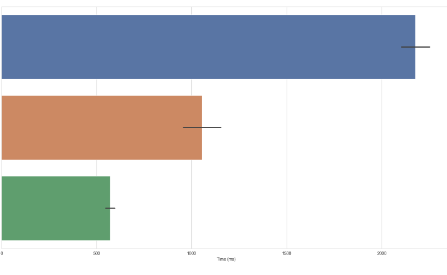
When it comes to operating systems, filesystem performance can greatly impact your day-to-day computing experiences. Whether you’re a seasoned developer, a casual user, or a gaming enthusiast, understanding how Windows, macOS, and Linux stack up in terms of performance can guide your software choices and optimize your workflow.
1. Windows Filesystem Performance
Windows operates primarily on the NTFS filesystem, which offers several advantages such as support for large files, improved security features, and robust error recovery. However, its performance can vary based on the specific version of Windows and the underlying hardware. Benchmarks show that NTFS performs well with random read/write operations, making it suitable for tasks like gaming and content creation.
Additionally, Windows includes features like File History and System Restore, which can consume resources and impact performance. Users have noted that the filing system can become fragmented over time, leading to slower access speeds. Regular maintenance, such as defragmentation and disk cleanup, can help maintain optimum performance.
-
- Regularly defragment your hard drives if using HDD instead of SSD.
-
- Use Windows tools like Disk Cleanup for optimizing performance.
-
- Keep your drivers and Windows updated to benefit from performance improvements.
-
- Monitor resource usage using the Task Manager for focused performance tuning.
2. macOS Filesystem Performance
macOS uses the APFS (Apple File System), designed for solid-state drives (SSDs) and optimized for flash storage. APFS enhances performance by offering features such as cloning for files and directories, snapshots for state-saving, and fast directory sizing. Users report that the APFS structure provides quicker file access and substantial improvements over the older HFS+ format.
While APFS excels in handling small files and offers effective space management, it may not perform as well when dealing with large file transfers or heavy disk usage scenarios. Users who require robust performance for tasks like video editing or gaming might need to consider other filesystem options or tweak settings for optimal speed.
-
- Utilize macOS Disk Utility for regular verification and repair of disk issues.
-
- Regularly update your operating system for improved performance and reliability.
-
- Consider upgrading to SSDs if you are still using traditional HDDs.
-
- Monitor storage usage through the “About This Mac” storage tab to keep performance up.
3. Linux Filesystem Performance
Linux offers a variety of filesystems, the most popular being ext4, Btrfs, and XFS. Ext4 is the default for many distributions and is well-known for its stability and performance. Benchmarks reveal that ext4 handles large files and heavy workloads effectively, which is beneficial for database operations and virtual machines.
While ext4 is generally reliable, Btrfs and XFS can outperform ext4 in specific scenarios, such as with snapshotting and scaling capacity. Linux allows advanced users to customize their filesystems for particular workloads, providing great flexibility but requiring a deeper understanding of system internals.
-
- Regularly check disk health using the “fsck” command for maintaining filesystem integrity.
-
- Choose the right filesystem based on your workload for optimal performance.
-
- Keep software and kernel updated for performance fixes and new features.
-
- Monitor performance using tools like iostat and dstat to analyze resource usage effectively.
In conclusion, each operating system offers distinct filesystem performance advantages that cater to various user needs. Exploring these benchmarks will help you hone your setup and maximize efficiency. Don’t hesitate to experiment with different configurations or consult expert resources to elevate your system’s performance further.