
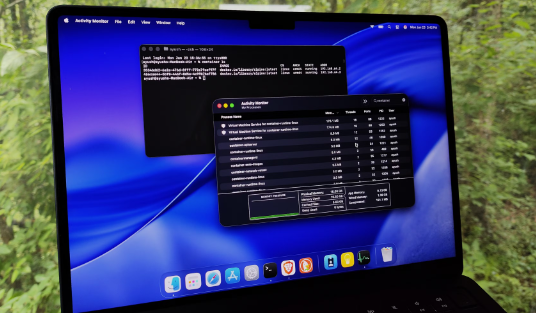
Container technology has gained significant traction in recent years, especially through solutions like Docker. With the three primary operating systems—Windows, macOS, and Linux—each presenting unique environments and capabilities for container support, it’s essential to understand their differences. This blog delves into the container support and Docker performance across these platforms, helping you make informed decisions for your development needs.
1. Windows Container Support
Windows has made substantial strides in supporting containers, particularly with its native Windows Containers feature. Docker for Windows allows users to run both Windows and Linux containers using a lightweight virtual machine, although the performance can be less optimal than that on a native Linux host. Developers working on .NET applications, for example, can leverage this feature to easily streamline their deployment process as Windows containers are designed to run Windows apps efficiently without relying heavily on virtual environments.
However, Windows containers can run into compatibility issues, especially with third-party components not optimized for container deployment. This makes the user experience sometimes cumbersome, particularly when using legacy applications. For organizations that have existing infrastructure built around Windows, they must consider the potential for increased complexity when transitioning to container-based workflows.
-
- Ensure you have the right Windows version (Windows 10 Pro, for instance) for container support.
-
- Familiarize yourself with Windows Server, as it may be a better fit for production environments.
-
- Explore options for Windows Subsystem for Linux (WSL) for enhanced compatibility.
-
- Consider using PowerShell scripts to automate your Docker management tasks.
2. macOS Container Support
macOS supports Docker through a combination of the Docker Desktop app and virtualization technology, utilizing HyperKit to manage the virtual machine that runs your containers. Although macOS does not natively support Linux containers, Docker effectively abstracts this by providing a Linux kernel through virtualization. Developers can leverage this setup for testing and deploying applications but should still be aware of the performance overhead due to virtualization.
One prominent disadvantage is the limited ability to run multiple containers due to resource constraints, especially on older Mac devices. However, for developers managing microservices or isolated applications, the Docker environment on macOS is quite user-friendly and integrates seamlessly with tools like Kubernetes. Additionally, macOS supports various native tools such as Homebrew, which can help improve the Docker experience with the right installations.
-
- Ensure you have an updated macOS version for optimal Docker performance.
-
- Utilize Docker volumes to manage data effectively between containers.
-
- Explore Docker Compose to simplify your multi-container applications.
-
- Monitor system resources through Activity Monitor when running heavy workloads.
3. Linux Container Support
Linux is the original platform for container technology and offers the most robust support for Docker. Unlike Windows and macOS, Linux natively supports containerization, enabling Docker to run without the need for additional virtualization. This results in superior performance, less overhead, and an overall smoother experience, especially for developers looking to maximize efficiency in deployment and orchestration.
Moreover, the Linux ecosystem includes a wide range of distributions, providing various environments optimized for running containers. For instance, distros like Ubuntu and CentOS are widely recognized for their stability and community support. Utilizing features such as cgroups and namespaces, Linux effectively manages concurrency and isolation, making it the platform of choice for large-scale deployments and production environments.
-
- Choose a lightweight Linux distribution for better performance in container environments.
-
- Explore orchestration tools like Kubernetes for managing complex deployments.
-
- Use network namespaces to improve security by isolating network resources.
-
- Take advantage of Linux’s built-in capabilities for monitoring and performance tuning.
In conclusion, understanding the differences in container support and Docker performance across Windows, macOS, and Linux is crucial for any developer or organization. Choosing the best platform depends on your specific use case, existing infrastructure, and resource availability. Evaluate your needs carefully, and don’t hesitate to explore professional consultancy to optimize your containerization strategies.