
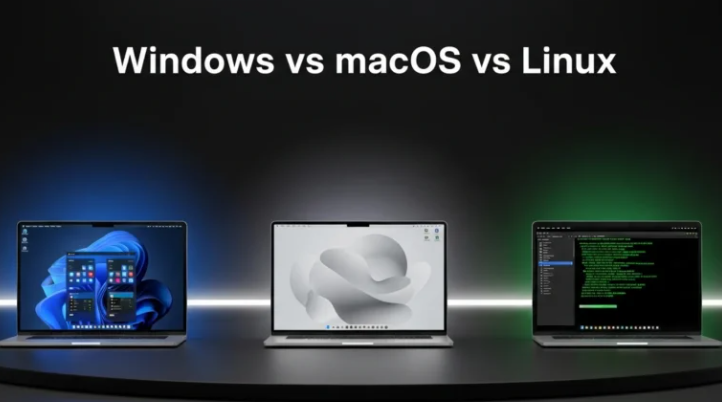
Gaming is a universal language that transcends operating systems. While Windows has long been viewed as the dominant platform for gamers, both macOS and Linux are becoming increasingly relevant in the gaming scene. This blog post will explore the gaming compatibility of Windows, macOS, and Linux with popular platforms like Steam and Epic Games.
1. Windows: The Gaming Powerhouse
Windows is historically the most supported operating system for gaming, with the majority of games running natively on this platform. A considerable advantage of Windows is its robust compatibility with both Steam and Epic Games, meaning players have access to a broad library of games, including recent AAA titles. Moreover, many game developers prioritize Windows for testing and launching their games, ensuring better performance and fewer bugs.
Steam and Epic Games have optimized their libraries for Windows, which means gamers can often enjoy features like cloud saving, multiplayer support, and modding capabilities without a hitch. Windows also supports DirectX, a set of application programming interfaces (APIs) that significantly improves gaming performance through better graphics and reduced latency compared to other operating systems.
-
- Take advantage of Steam’s Big Picture mode for a more console-like experience.
-
- Adjust your graphic settings according to your hardware capabilities.
-
- Regularly update your GPU drivers to keep up with the latest game optimizations.
-
- Utilize Windows Game Mode to prioritize CPU and GPU resources for gaming.
2. macOS: A Growing Gamer’s Paradise
MacOS has traditionally lagged behind Windows in the gaming arena, primarily due to a limited selection of games and hardware configurations optimized for gaming. However, platforms like Steam have introduced support for macOS, opening doors for many cross-platform titles. While not every game is available, many indie titles and some major games have made their way to macOS thanks to growing interest in the platform.
Another benefit of gaming on macOS is the seamless integration with other Apple devices. Features like iCloud save and Apple Arcade create an interconnected experience that enhances the gaming experience. Although macOS does not support DirectX, it uses Metal, a graphics API designed to maximize the performance of compatible games.
-
- Explore the Mac App Store for exclusive games optimized for macOS.
-
- Use Steam’s filtering options to find macOS-compatible titles easily.
-
- Check for updates regularly to ensure that macOS gaming performance remains optimal.
-
- Consider dual-booting with Windows using Boot Camp for access to a wider library.
3. Linux: The Challenger
Linux has been the underdog in the gaming race, but thanks to platforms like Steam and new technologies like Proton, the situation is changing. Valve’s Proton allows many Windows-only games to run on Linux, expanding the library significantly for players who prefer open-source operating systems. However, not all games are compatible, and some require tweaking to get them to run smoothly.
While fewer games are built natively for Linux compared to Windows or macOS, the number is steadily growing. Major titles from franchises like “The Witcher” and “Civilization” have been ported to support Linux. The open-source nature of Linux also allows for powerful community engagement, which means players can often find support for specific titles through forums and online communities.
-
- Use Steam’s Proton compatibility layer for running Windows games on Linux.
-
- Keep an eye on Humble Bundle for Linux-compatible titles at discounted prices.
-
- Consider using gaming distributions like Pop!_OS or SteamOS for an optimized experience.
-
- Join community forums to share experiences and get support on troubleshooting.
4. The Combined Experience: Cross-Platform Play
One of the most exciting developments in gaming is the rise of cross-platform play, where players from different operating systems can play together. This feature has been integrated into several popular games, such as “Fortnite” and “Rocket League,” allowing Windows, macOS, and Linux users to team up or compete against each other. This unity cultivates a larger, more vibrant community and keeps the player base active across all platforms.
Cross-platform gaming largely benefits from cloud gaming solutions and platforms like Epic Games and Steam. Players can save their progress across devices, making it easier to switch from one machine to another. However, players should still check specific game settings to optimize their experience and ensure compatibility across different systems.
-
- Verify if your favorite games support cross-platform play before purchasing.
-
- Optimize your setup for multiplayer lag; consider wired connections for better performance.
-
- Communicate with friends to coordinate gaming sessions across platforms.
-
- Keep your devices updated to handle the latest game patches effectively.
In conclusion, the gaming landscape is continually evolving, and the compatibility of Windows, macOS, and Linux with platforms like Steam and Epic Games reflects this change. Each operating system has its unique advantages and potential drawbacks for gamers. Exploring the options available will ensure you find the right gaming experience that suits your preferences. Don’t hesitate to dive into your favored platform, and make the most out of your gaming journey!